
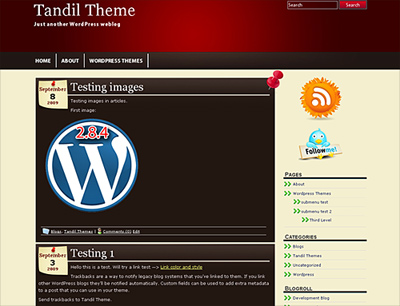
A brand new WordPress Theme was released today: Tandil Theme. This is a very good looking WordPress template with a stylish, cute and elegant design. This Theme can be used for any niche and is compatible with the latest WordPress version. Tandil includes Theme Options, you can set your own RSS and Twitter accounts. It supports the latest WordPress features, including Sticky Post and Threaded Comments. The Theme is optimized for SEO and is 100% Valid Code CSS level 2.1 and XHTML 1.0 Transitional. You can visit the Tandil Homepage Here and check this new and cool WP Theme!
Download Tandil Theme
Enjoy! 🙂


Gratifying that your blog is constantly evolving. Such positions only adds popularity..
How are the Therms of use?
Is it free for everyone? or for example does a commercial use cost something?
Hello Max!
My WordPress Themes are free as long as you don’t remove my copyright and author (GPL). You can use the themes for both, personal or commercial sites, as long as you don’t remove the copyright.
Greetings,
Alex.
Hi Alex,
I have this theme but had a question about the sidebar? I am trying to put an opt in form for my newsletter. It is an html form with images, so fancy. I copy the code directly into the text box, but no images.
Do I need to put them somewhere? I have in the uploads folder. I am not tech saavvy, but have done other things in the text boxes before.
Thanks for your help!
Kathy
Hello Kathy, I just sent you an email to check this out.
Greetings,
Alex.
How do I put a picture in my blog as something that is permanent without it being part of a post, i.e. the header?
Thanks in advance
I love your theme & look to donate here soon. Just a couple of questions. Lately, the description of the blog has inched into the name of the blog up in the header. Forgive me for my ignorance, as I am novice at this, but how do I space this out better.
Also, I have several spots on the blog, i.e. the “continue reading” click, where it is in a dark blue & thus melds into the black background. I know I have to change this in the editor, & I can change the codes, but how do I know where in the editor to change them?
Again, forgive the ignorance as I’m new to this game. Thanks in advance for the help.
Hello Ted! Don’t worry, I’m here to help and we will customize the theme to fit your needs. I am contacting you.
Greetings,
Alex.
Just an update. I updated your theme, & now the blue “continue reading” have changed to yellow which now creates a problem on my “sticky” page which is off white. Again, any help you can give regarding where to look in changing these colors would be greatly appreciated.
Hello Ted, eMail sent! Cheers, Alex.
What a brill blog on New WordPress Theme: Tandil 1.0 | Wp Themes Planet!